|
Nginx - Use Perl Script
2013/07/08 |
|
Configure Nginx to execute Perl script.
This example shows to use fcgiwrap + spawn-fcgi. |
|
| [1] | Install some packages first. |
|
[root@www ~]# yum --enablerepo=epel -y install spawn-fcgi fcgi-devel # install from EPEL [root@www ~]# yum -y groupinstall "Development Tools" |
| [2] | Install fcgiwrap |
|
[root@www ~]# wget http://github.com/gnosek/fcgiwrap/tarball/master -O fcgiwrap.tar.gz [root@www ~]# tar zxvf fcgiwrap.tar.gz [root@www ~]# cd gnosek-fcgiwrap-* [root@www gnosek-fcgiwrap-4b2151e]# autoreconf -i [root@www gnosek-fcgiwrap-4b2151e]# ./configure [root@www gnosek-fcgiwrap-4b2151e]# make [root@www gnosek-fcgiwrap-4b2151e]# make install install -d -m 755 /usr/local/sbin install -m 755 fcgiwrap /usr/local/sbin install -d -m 755 /usr/local/man/man8 install -m 644 fcgiwrap.8 /usr/local/man/man8 |
| [3] | Configure Nginx |
|
[root@www ~]#
vi /etc/sysconfig/spawn-fcgi # add at the last
OPTIONS="-u nginx -g nginx -a 127.0.0.1 -p 9001 -P /var/run/spawn-fcgi.pid -- /usr/local/sbin/fcgiwrap"
[root@www ~]#
vi /etc/nginx/conf.d/default.conf # add follows in the "server" section
    location ~ \.pl|cgi$ {
        fastcgi_pass   127.0.0.1:9001;
        fastcgi_index  index.cgi;
        fastcgi_param  SCRIPT_FILENAME $document_root$fastcgi_script_name;
        include        /etc/nginx/fastcgi_params;
    }
/etc/rc.d/init.d/nginx restart Stopping nginx: [ OK ] Starting nginx: [ OK ] [root@www ~]# /etc/rc.d/init.d/spawn-fcgi start Starting spawn-fcgi: [ OK ] [root@www ~]# chkconfig spawn-fcgi on
|
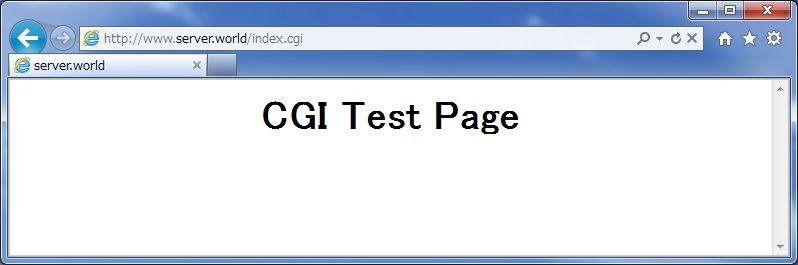
| [4] | Create a CGI test script and make sure CGI works or not. It's Ok if following page is shown normally. |
|
[root@www ~]#
vi /usr/share/nginx/html/index.cgi #!/usr/bin/perl print "Content-type: text/html\n\n"; print "<html>\n<body>\n"; print "<div style=\"width: 100%; font-size: 40px; font-weight: bold; text-align: center;\">\n"; print "CGI Test Page"; print "\n</div>\n"; print "</body>\n</html>\n"; chmod 705 /usr/share/nginx/html/index.cgi |
|